Save and remove Tabs
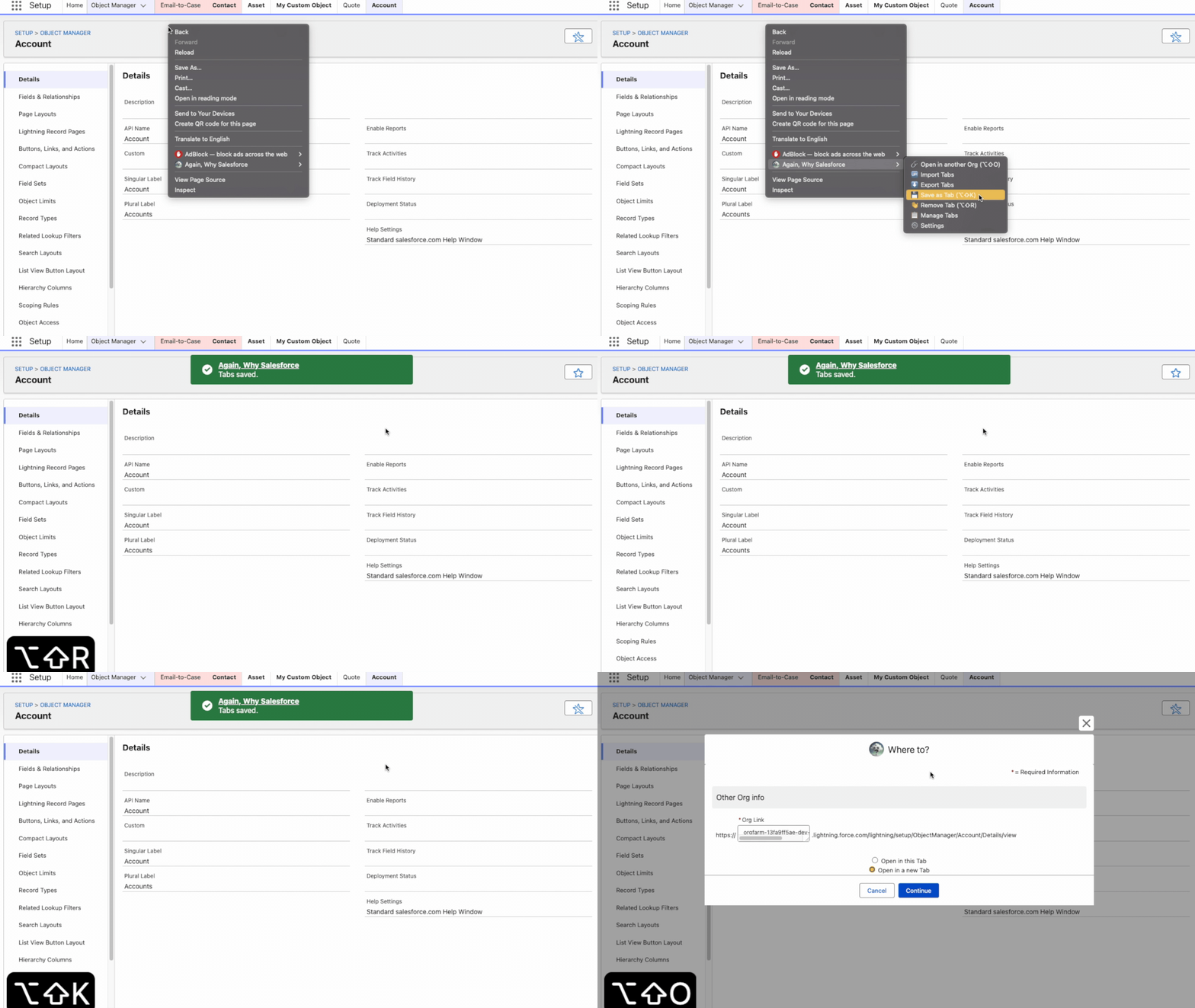
Save current Salesforce Setup pages as Tabs and remove stored Tabs when no longer useful.
Read wiki page Again, Why Salesforce
Features
Everything focuses on Setup navigation: faster access, safer organization, fewer repeated clicks.
Tabs
Save current Salesforce Setup pages as Tabs and remove stored Tabs when no longer useful.
Read wiki pageEdit, reorder, delete, pin, import, and export from a wide management modal.
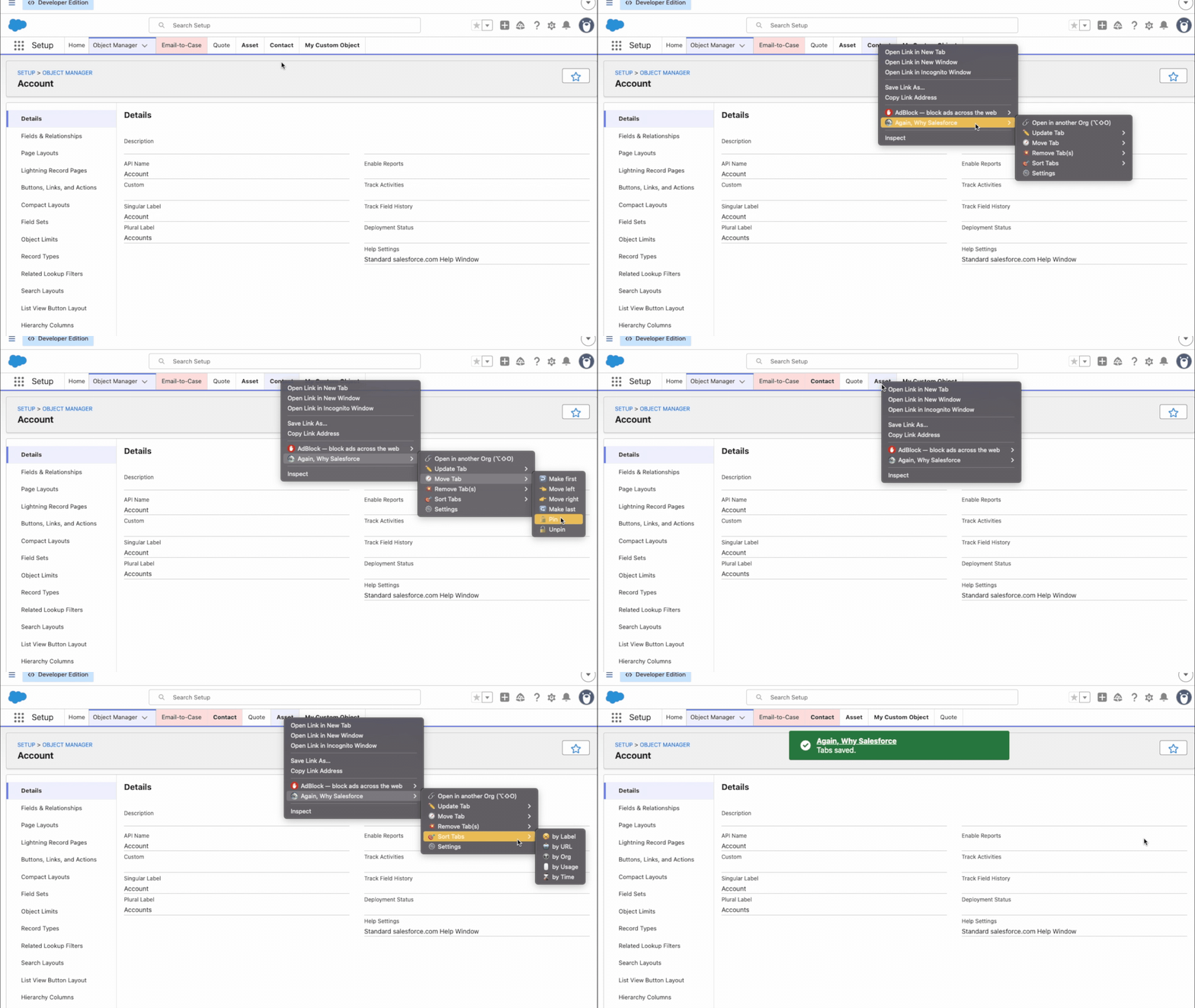
Read wiki pageKeep important Tabs at the front and separate pinned work from normal Setup routes.
Read wiki pageMove Tabs left, right, first, or last when exact order matters.
Read wiki pageKeep the Tab list sorted automatically after changes instead of cleaning it by hand.
Read wiki pageOrder Tabs by click count so frequent Setup pages stay easy to find.
Read wiki pageBring recently used Setup Tabs into focus with time-based sorting.
Read wiki page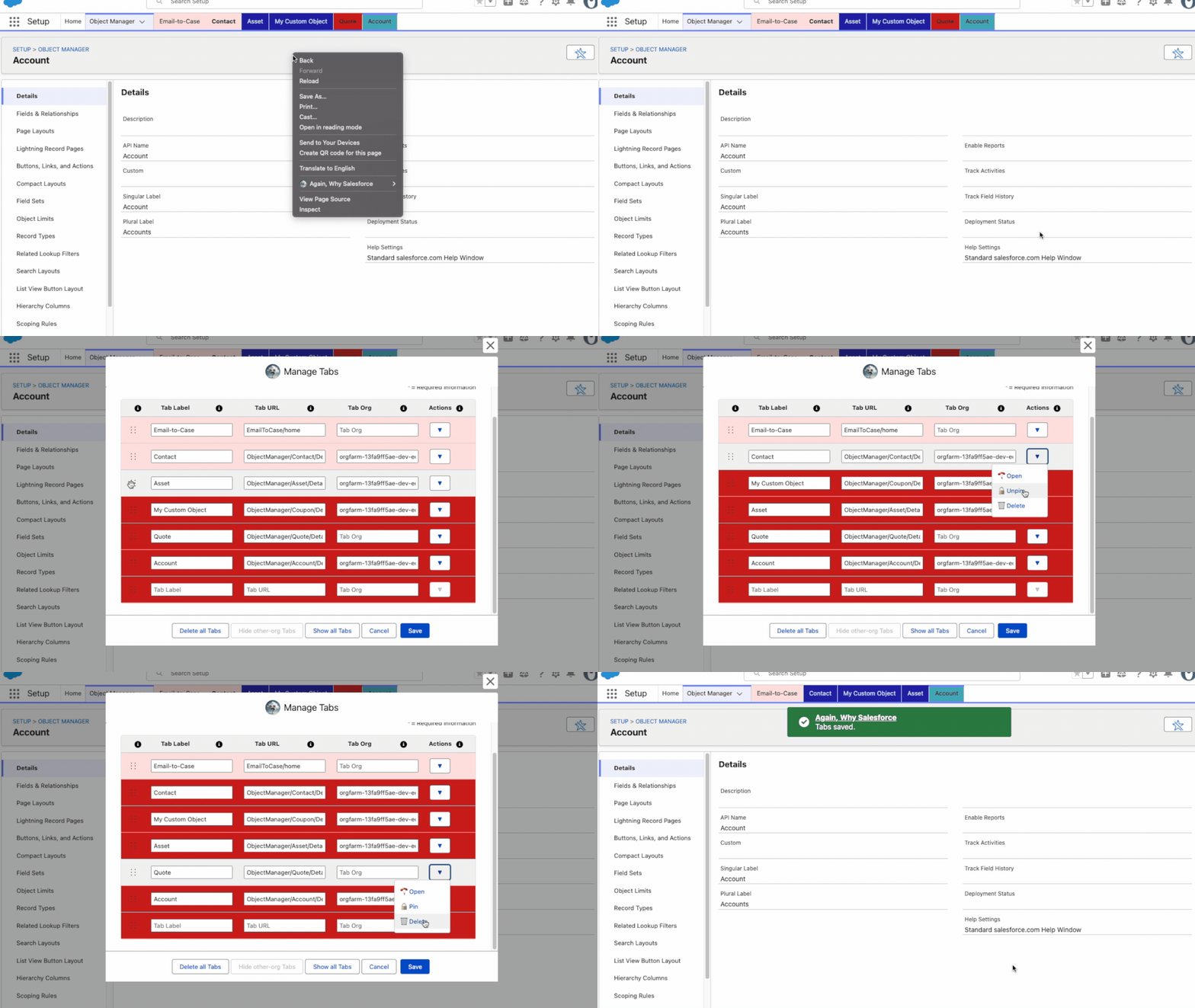
Portability
Bring saved Tab sets into the extension from a compatible exported file.
Read wiki pageBack up or move saved Tabs between browsers, profiles, and work machines.
Read wiki pageUse global Tabs everywhere or bind Tabs to one Salesforce org.
Read wiki pageOpen current Setup page in another org without rebuilding Salesforce URLs manually.
Read wiki page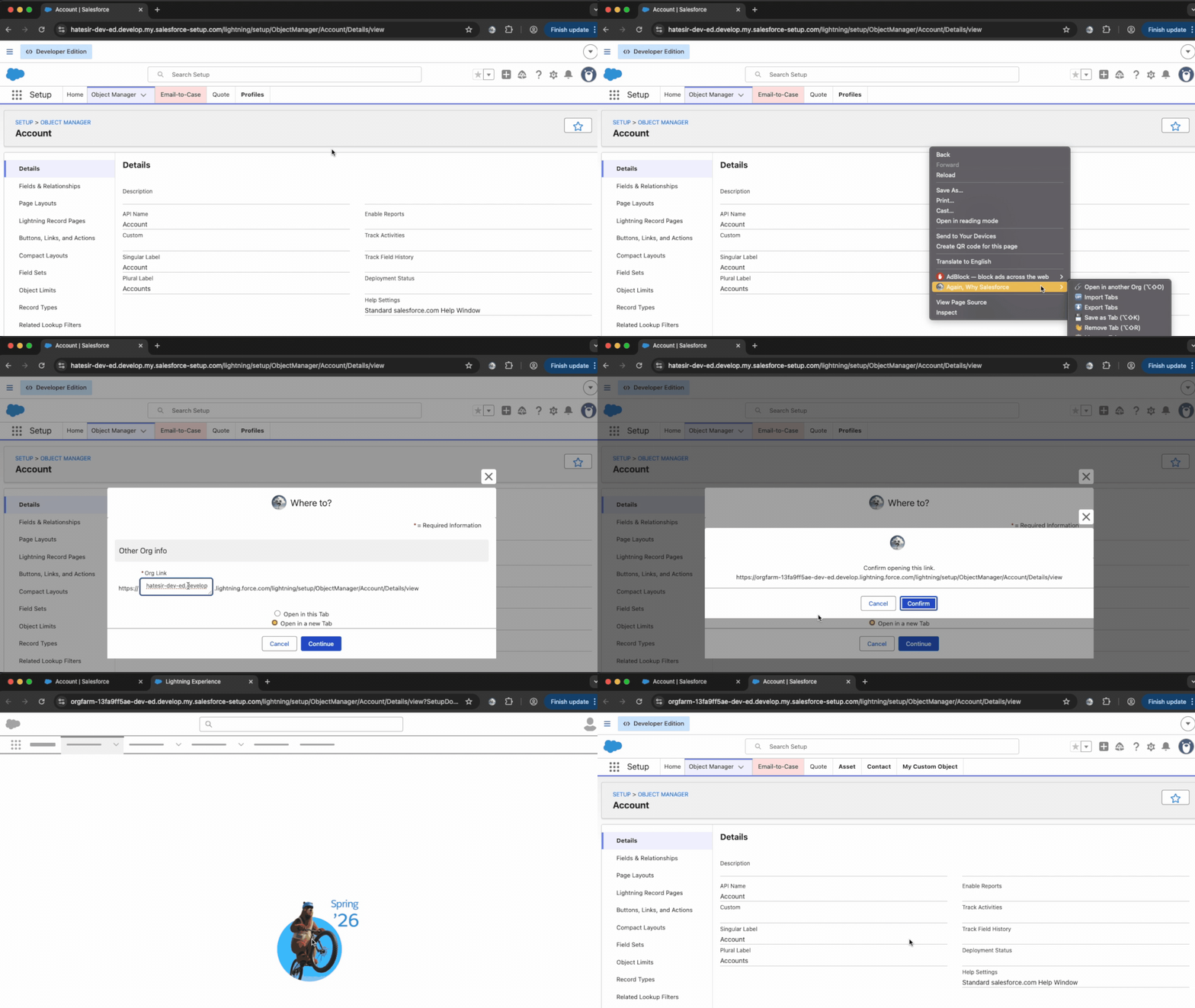
Fast actions
Customization
Customize colors and decorations for pinned, generic, org, active, and inactive Tabs.
Read wiki pageControl behavior, placement, analytics preference, and extension defaults.
Read wiki pageSet extension language behavior for Salesforce Setup work.
Read wiki pageGrant downloads or cookies access only when related features need them.
Read wiki page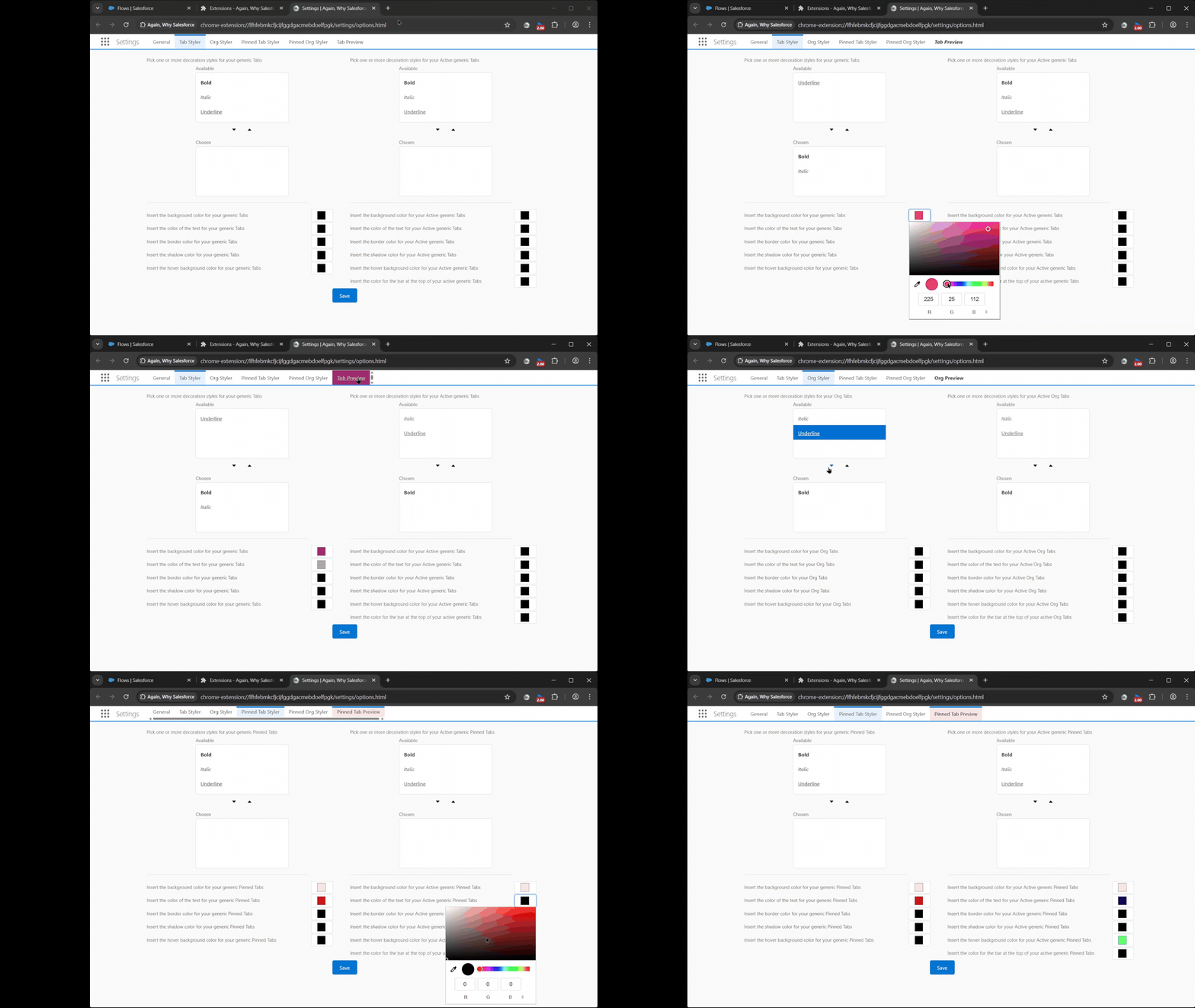
Privacy