
Introduction
To "Open in Another Org" means to open the current page (or the selected Tab) into another Salesforce Organization. To do so, you must have the link and the credentials to access that Org.
To read about how to Save a Tab, please read this article.
Actions
There are 2 ways to get to the Open in Another Org Modal and both of them require you to be on a Salesforce Setup page.
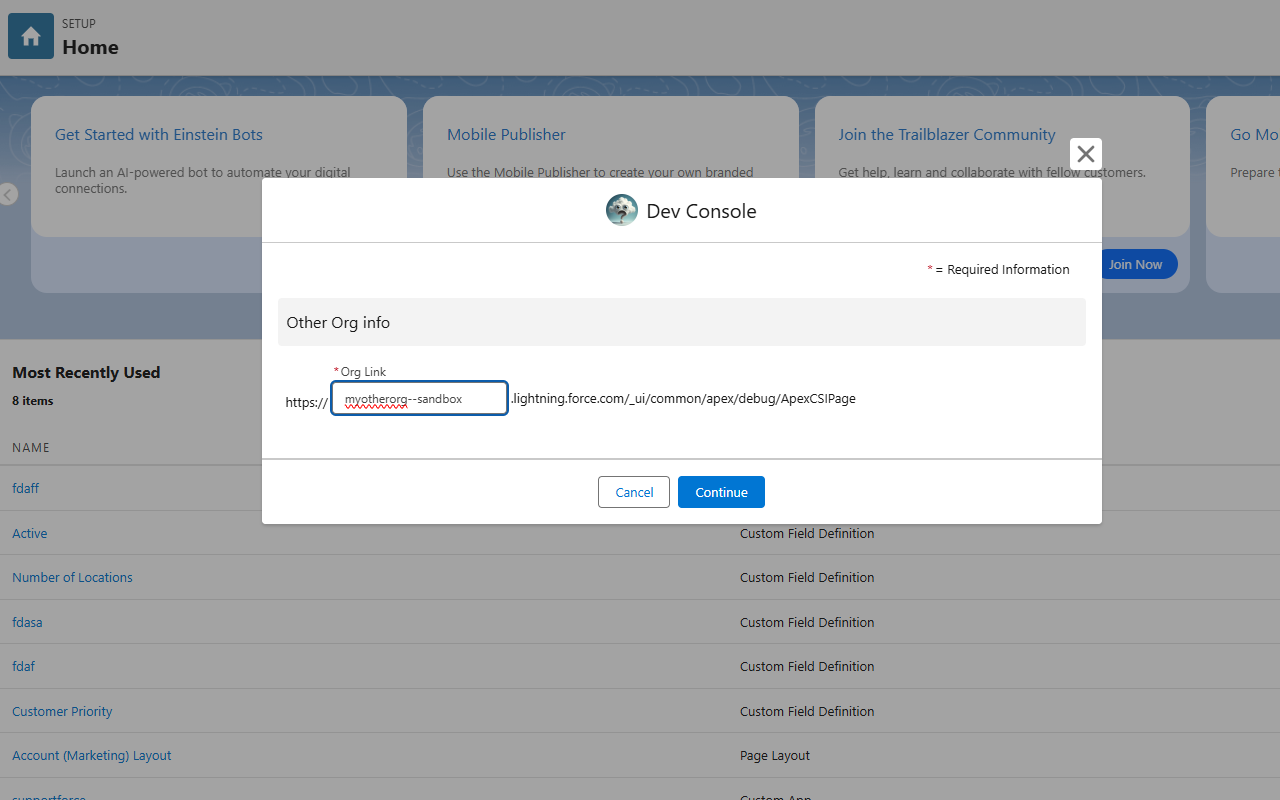
| Where | What |
|---|---|
| Context Menu | Right-click anywhere on the page; move your mouse to Again, Why Salesforce and click Open in another Org. |
| Keyboard Shortcut | Perform the keyboard shortcut linked to the Open in another Org function (default: Alt+Shift+O; MacOS default: Option+Shift+O) |
Now that the Open in Another Org Modal has been opened, please write into the text area the Org where you'd like to go (you may read about this here).
Then you may pick where to open the other Org (in the same browser tab or in a new one).
When you click the Continue button, a confirmation dialog will open. Please check that the link is correct and click on Confirm.
The link will open where you specified.
The URL input field has a trick up its sleeve: it follows the same logic as the Tab's
orgproperty! Try pasting a full URL instead of writing the ORG name!
Last Updated at: v2.2.0